
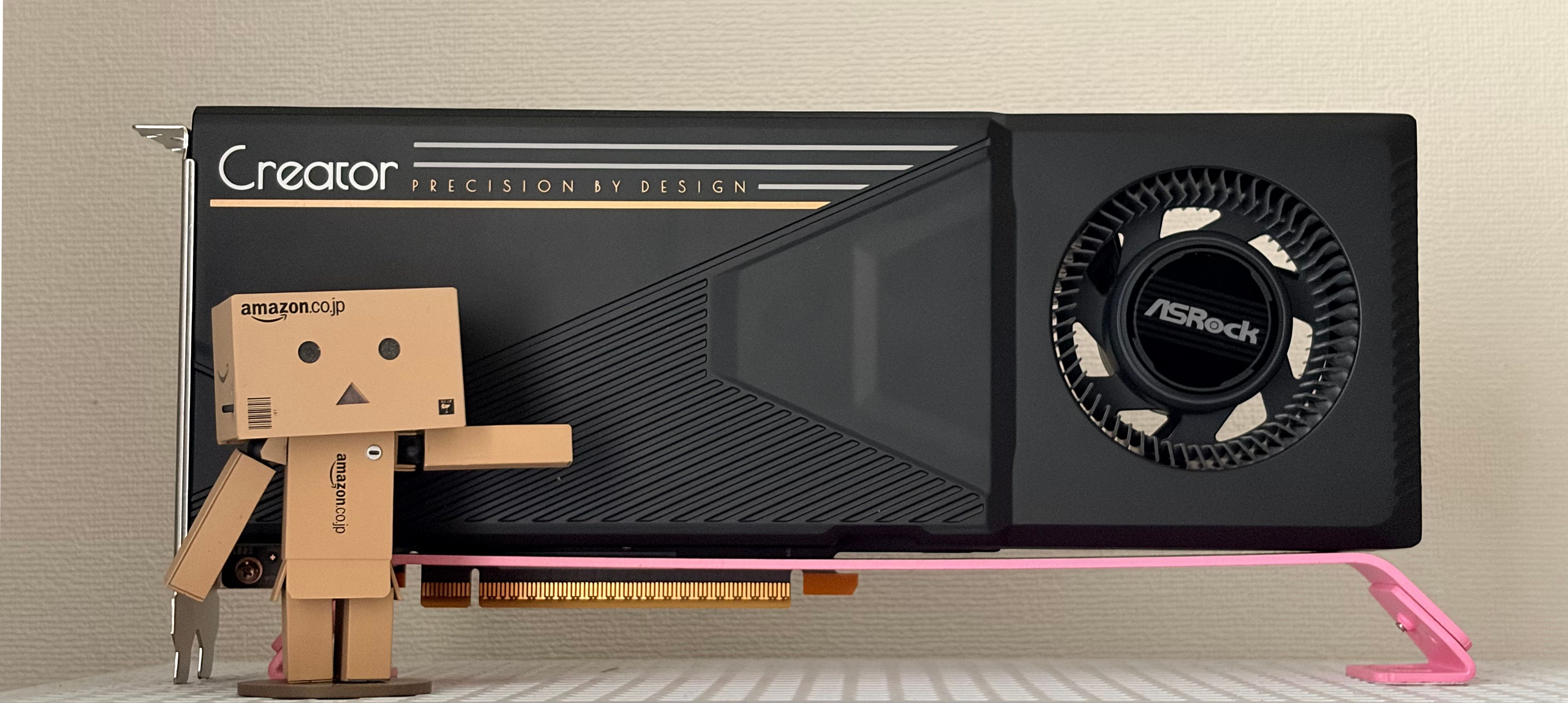
Earlier this year, I had some issues with my AMD Radeon Pro W7900 on Ubuntu where the kernel module would crash after a couple of hours of use. This graphics card also has a quirk of not responding to GPU resets. Once it crashes, the only way to bring it back is to physically switch off the power supply of the computer and boot again. After repeated crashes for months, I decided to find a replacement.
For a long time, Nvidia has been the only other player in this market, but Intel has just released their new Arc Pro B70 when I was researching. With Nvidia graphics cards being increasingly expensive, I have decided to give Intel a shot.
The Arc Pro B70 has a couple of versions available on Amazon. The preferable version is the Intel version of this card, which has an 8-pin PCIe power connector instead of a 12V-2x6 connector.
At the time I purchased it, the Intel version of this card had increased to $1,049 and was out of stock. So I bought two AsRock Intel Arc Pro B70 Creator instead so I can test multi-GPU workloads. (Unfortunately, this card has increased to $2,099 since I bought it.)
Specification
Here is how the B70 compares with AMD's closest equivalent, the Radeon AI PRO R9700, the successor to the W7900 I was running:
| AsRock Intel Arc Pro B70 Creator | AMD Radeon AI PRO R9700 | |
|---|---|---|
| Architecture | Xe2 | RDNA 4 |
| Compute units | 32 Xe-cores, 256 XMX engines | 64 CUs, 128 AI accelerators |
| Memory | 32 GB GDDR6 | 32 GB GDDR6 |
| Memory bandwidth | 608 GB/s | 640 GB/s |
| AI performance | 367 TOPS (INT8), 734 TOPS (INT4) | 766 TOPS (INT8), 1531 TOPS (INT4) |
| PCIe | 5.0 x16 | 5.0 x16 |
| TBP | 300 W | 300 W |
| Power connector | 12V-2x6 | 12V-2x6 |
| MSRP | US$1,099 | US$1,299 |
Obviously, I am not getting the R9700 this time.
Installation
Despite being only 300W, this card uses a 12V-2x6 connector to provide power. This means that if you have two cards, you have to buy a 1200W power supply if you don't want to use the 8-pin converter cable. (I wish the Intel version were in stock so I could avoid this scenario.)
If you use it on Windows, the firmware update will be installed alongside the Intel Graphics Software. However, under Linux, there are no easy ways to install firmware updates. There are some unofficial methods released on GitHub, but I found them too time-consuming.
Unlike Nvidia or AMD, Intel releases firmware updates quite frequently. So I made a Windows bootable USB drive and used it to install the latest firmware by booting into Windows.
Picky card
When I was trying this card, I found that Intel Arc cards are much more sensitive to your computer than Nvidia or AMD cards. Ideally, you need a high-end computer from the last 3-5 years.
Resizable Bar
You need to use a computer that supports Resizable Bar. This card will not initialise properly if it is booted from a computer without Resizable Bar support.
PCIe Bandwidth
Unlike Nvidia cards, Intel graphics cards don't come with NVLink and use PCIe for inter-card communication instead. This means that if you wish to use Tensor Parallelism, which is sensitive to PCIe bandwidth, you should use a motherboard that provides two PCIe 5.0 x16 connections.
However, none of the consumer boards will provide this.
If you don't want to use Threadripper or Xeon workstations, you can get a board with two PCIe 5.0 x8 slots for the latest AMD or Intel consumer processor.
ASPM
You need Active State Power Management (ASPM) to properly put this card into low-power mode. Otherwise, it will consume 40W while idle.
Workloads
I have tried this card with the following workloads:
Inference (Text Generation)
The most popular options are llama.cpp and vLLM. Both support Intel Arc. However, in order to get the best performance, you should use Intel Arc with llm-scaler, which is Intel's fork of vLLM. llama.cpp's performance has been improving rapidly over the past couple of months. I find llama.cpp's router mode very helpful when I need to switch between models. Performance is mostly OK if you don't need to generate a lot of text or serve production workloads.
I use llama.cpp for general chatting and vLLM (llm-scaler) for agent workloads. I will cover vLLM in a future post.
Image Generation
I use ComfyUI for this workload. Intel also has a fork of ComfyUI with llm-scaler. I am not too deeply into this area yet, so I am only doing some simple testing.
Benchmark
I benchmarked the performance with the following setup:
| Component | Model |
|---|---|
| CPU | AMD EPYC 7C13 |
| Motherboard | AsRockRack ROMED8-2T |
| RAM | DDR4-3200 ECC RDIMM 64GB x 8 |
| Graphics Card | AsRock Intel Arc Pro B70 Creator x 2 |
Unfortunately, I do not have a setup that supports 2x PCIe 5.0 x 16 slots. The numbers below might be lower than the maximum performance this card is capable of.
llama.cpp
I benchmarked llama.cpp with the following command:
docker run --rm -it \
--init \
--device /dev/dri/ \
--group-add $(getent group video | awk '{split($0,a,":"); print a[3]}') \
--group-add $(getent group render | awk '{split($0,a,":"); print a[3]}') \
--shm-size 64gb \
--ulimit nofile=65536:65536 \
--ulimit memlock=-1:-1 \
-v /home/futursolo/models:/mnt/models:ro \
ghcr.io/ggml-org/llama.cpp:full-intel \
--bench \
--model /mnt/models/hf.co/unsloth/DeepSeek-R1-Distill-Llama-8B-GGUF/DeepSeek-R1-Distill-Llama-8B-Q8_0.gguf \
-fa 1 \
-p 2048 \
--threads 128The results are as follows:
b9570
| model | size | params | backend | ngl | threads | fa | test | t/s |
|---|---|---|---|---|---|---|---|---|
| llama 8B Q8_0 | 7.95 GiB | 8.03 B | SYCL | -1 | 128 | 1 | pp2048 | 1508.29 ± 5.13 |
| llama 8B Q8_0 | 7.95 GiB | 8.03 B | SYCL | -1 | 128 | 1 | tg128 | 53.18 ± 0.03 |
build: 3ac3c20c9 (9570)
b10711 (split-mode = layer)
| model | size | params | backend | ngl | threads | fa | test | t/s |
|---|---|---|---|---|---|---|---|---|
| llama 8B Q8_0 | 7.95 GiB | 8.03 B | SYCL | -1 | 128 | 1 | pp2048 | 3780.65 ± 36.16 |
| llama 8B Q8_0 | 7.95 GiB | 8.03 B | SYCL | -1 | 128 | 1 | tg128 | 53.47 ± 0.03 |
build: 9723942ad (10711)
b10711 (split-mode = tensor)
| model | size | params | backend | ngl | threads | sm | fa | test | t/s |
|---|---|---|---|---|---|---|---|---|---|
| llama 8B Q8_0 | 7.95 GiB | 8.03 B | SYCL | -1 | 128 | tensor | 1 | pp2048 | 3850.33 ± 15.24 |
| llama 8B Q8_0 | 7.95 GiB | 8.03 B | SYCL | -1 | 128 | tensor | 1 | tg128 | 51.67 ± 0.10 |
build: 9723942ad (10711)
The release b9570 was not benchmarked with Tensor Parallelism because it wasn't implemented.
As shown in the chart, from the time I received the card to the time I am writing this post, the prompt processing performance of llama.cpp has more than doubled. This is very impressive. However, token generation performance and tensor parallel performance still need some work.
ComfyUI
I am testing ComfyUI with the following workflow:
Since the official ComfyUI workflow doesn't support multiple GPUs, this is a benchmark of a single GPU.
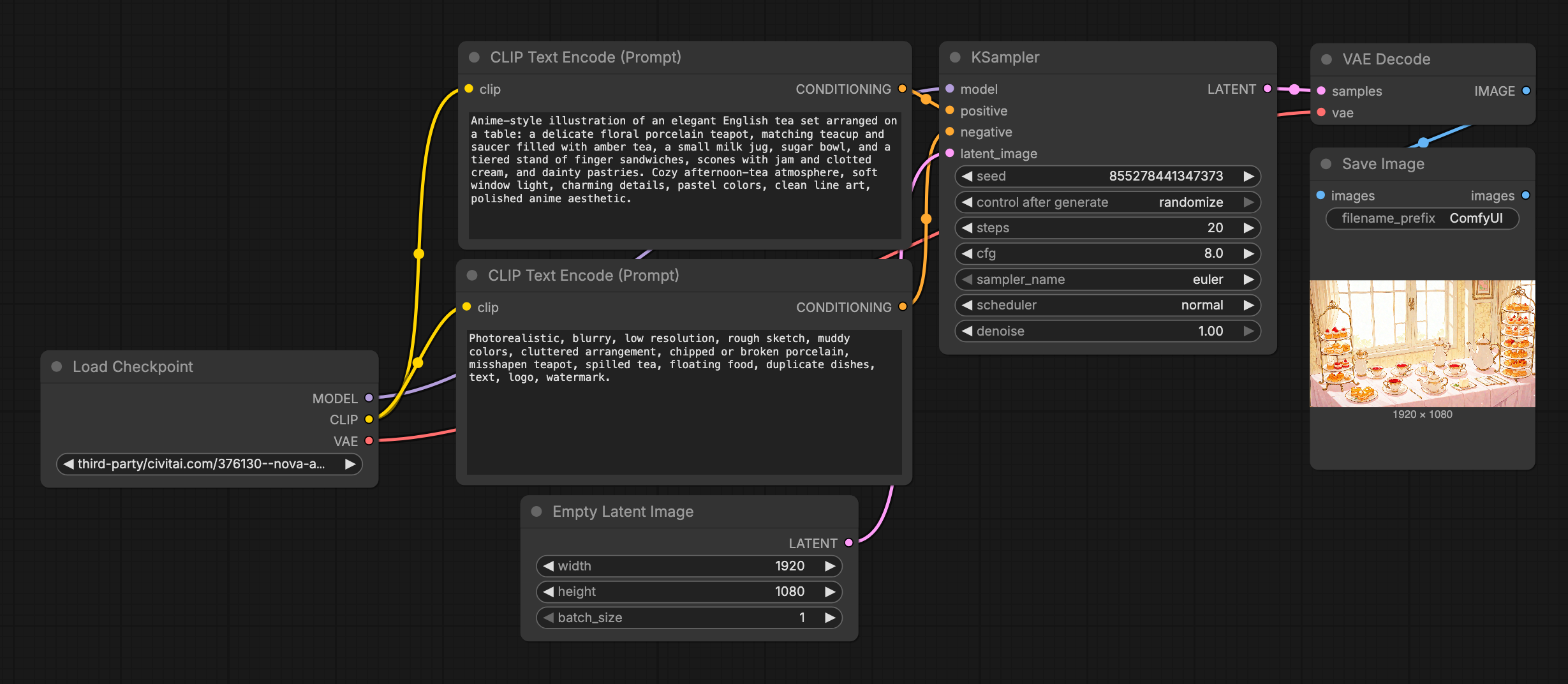
A 1080P image can be generated within 8.7 seconds and a 4K image takes 56 seconds.
I am not sure of the best way to benchmark this one. Please comment below if you have a better way to benchmark ComfyUI.
Conclusion
I would recommend this card to anyone who is willing to spend time and effort to navigate a less-than-mature ecosystem and wants the best performance per dollar.
If you want a system that "just works", you should consider other, more mature options.
Overall, I think Intel Arc is a much-needed competitor that enters the dedicated graphics card market, and the next generation of products will be very interesting.